






HDMI Port Fix at CellShoppe Jasper Place Store
We fix loose, broken, or non-working HDMI ports with precision and care
We Bring Your Tech Back to Life!
CellShoppe Phone & Laptop Fix | West Edmonton | Meadowlark
Store Hours
Monday 11:00 am – 8:00 pm
Tuesday 11:00 am – 8:00 pm
Wednesday 11:00 am – 8:00 pm
Thursday 11:00 am – 8:00 pm
Friday 11:00 am – 8:00 pm
Saturday 12:00 am – 7:00 pm
Sunday 12:00 am – 5:00 pm
Certified Pre-Owned Phones
Accessories
Device Fix
Phone Trade-In
Looking to establish a connection with Our Jasper Place Store? We are here to assist you in initiating your journey with one of our carrier partners at this location:



Urgent Support?
Select Apple Model
Common HDMI Port Issues
No Signal
TV or monitor doesn’t detect the device.
Loose Connection
HDMI cable wobbles or disconnects easily.
Display Flickering
Screen flickers, shows lines, or intermittent image.
Physical Damage
Bent or broken HDMI port pins.
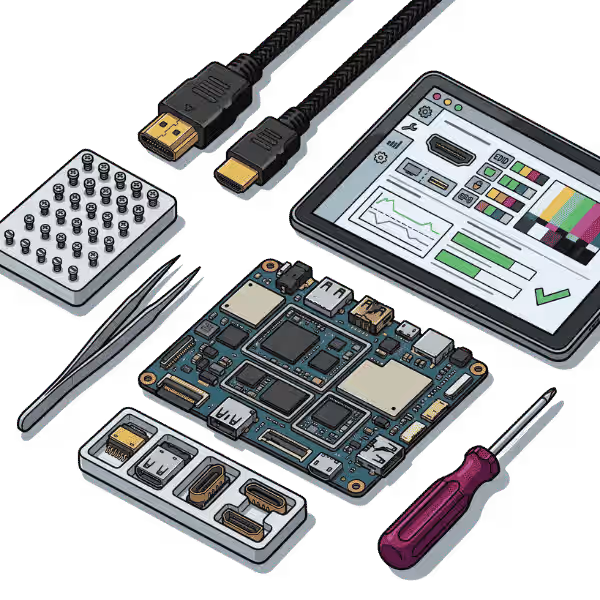
How We Fix Your HDMI Port
Diagnosis
Inspect HDMI port for damage, dirt, or bent pins.
Cleaning
Remove dust or debris using safe tools and air.
Replacement
Fix bent pins or replace damaged HDMI port.
Testing
Connect device and monitor output to ensure stable signal.
We are honored to provide services, buy, and sell various brands.















Quick Questions!
What devices does Cellshoppe.ca fix HDMI ports on?
While widely known for cell phone and tablet fixes, Cellshoppe.ca offers professional HDMI port replacement services primarily for Gaming Consoles (PlayStation PS, Xbox, Nintendo Switch) and can also service ports on Laptops and some Desktop Motherboards.
What are the main signs that an HDMI port is broken?
The most definitive signs include:
“No Signal” or Black Screen: The device powers on, but the display remains black.
Flickering or Distorted Display: The image cuts in and out, is pixelated, or has an unusual colour tint (often pink or green).
Physical Damage: The port metal is bent, the entire port is loose and wiggles, or you can see bent/missing pins inside the connector.
Wiggling the Cable Works: You can only get a picture by holding or wiggling the HDMI cable in a specific position.
What causes HDMI ports on gaming consoles (like PS or Xbox) to break so often?
The main cause is physical stress and user error:
Accidental Drops/Tugs: Yanking or tripping over the HDMI cable puts immense leverage on the soldered port, causing pins to bend or the port to rip off the board.
Repetitive Insertion: Constant plugging and unplugging weakens the internal pins and solder joints over time.
Improper Insertion: Inserting the cable at an angle or forcing it in damages the delicate pins.
Is an HDMI port replacement considered a complex fix?
Yes. HDMI ports are connected to the main logic board using tiny, intricate solder points (up to pins). Replacing the port requires micro-soldering expertise, specialized tools (like a hot air rework station and microscope), and precision. It is not a DIY fix.
How long does an HDMI port replacement typically take?
Due to the complexity of micro-soldering and the need for thorough testing, a professional HDMI port replacement usually takes – business days. The exact time depends on the device model and the current fix queue. Always call ahead for an accurate estimate.
Can a broken HDMI port cause other damage to the console?
Yes. A damaged port, especially one with bent or shorted pins, can potentially cause damage to the HDMI Encoder IC (or Retimer Chip) on the console’s logic board. This chip is responsible for processing and sending the video signal. If this chip is damaged, it must also be replaced, which adds to the complexity of the fix.
I see bent pins in my port. Can they just be straightened?
In theory, yes, but in practice, no. Attempting to straighten the pins yourself will often cause them to break off completely or cause a short, potentially damaging the HDMI Encoder IC. If you see bent pins, the safest and most reliable solution is a full, professional port replacement.
Is it better to replace the HDMI port or buy a new console?
Replacing the HDMI port is almost always the most cost-effective solution. A professional fix is significantly less expensive than purchasing a new console (PS, Xbox) and restores the device to full working condition.
Will replacing the HDMI port void my manufacturer's warranty?
Yes. Opening the device and replacing a soldered component like the HDMI port will void the manufacturer’s warranty. However, your device is likely already out of warranty or the damage (physical/user damage) is not covered by the manufacturer anyway. Cellshoppe.ca provides its own warranty on the fix work performed.
How can I prevent the HDMI port from breaking again?
Follow these tips:
Handle Cables Gently: Never yank the cable out; always pull directly on the plug housing.
Use Strain Relief: Ensure the cable is not constantly pulling down or sideways on the port.
Avoid Moving the Device: Disconnect the HDMI cable before moving your console or laptop.
Use Right-Angle Adapters: For consoles placed in tight spaces, a quality low-profile, right-angle adapter can reduce stress on the port.
Our Google Reviews
shagy zeeTrustindex verifies that the original source of the review is Google. Good deal on trade in of iPhone for s22 great customer serviceVickki (Vickki)Trustindex verifies that the original source of the review is Google. I had a great experience at this cell shop. The staff were friendly, patient, and very knowledgeable. They explained everything clearly and made the process quick and easy. I’ll definitely be coming back.Kmers BarriosTrustindex verifies that the original source of the review is Google. Excellent professional repairs at right cost.David HodgesTrustindex verifies that the original source of the review is Google. Excellent service and value for money and wonderful managementНазар НазаренкоTrustindex verifies that the original source of the review is Google. My phone screen broke, and I took it to CellShoppe for a screen replacement. They did amazing job! Fast Service and great price. I got my phone within an hour. They have huge screen in stock.Daniel DowlingTrustindex verifies that the original source of the review is Google. Ismat was very helpful, fixed my son’s PS5 quickly and professionally. Thank you so much for the great serviceRezaul KabirTrustindex verifies that the original source of the review is Google. Today I got a replacement of Samsung S9 Backpart and S24 Ultra camera lenses. I like their service a lot. I highly recommend their service for phone repair, screen repair and backpack replacement. Specially, the service is very quick and fast.ayah ayahTrustindex verifies that the original source of the review is Google. Amazing shop fixed my phone and never had issues on it, policies are amazing and would 100% come back if i had any issues.
In today’s digital world, HDMI ports are essential. They connect devices like TVs, computers, and game systems. We can watch and listen to high-quality video and audio on our TVs thanks to these ports. However, the HDMI port can get broken or stop working right after a while. If you’re having trouble with your HDMI connection, CellShoppe phone fix shop offers professional HDMI port services in West Edmonton. This will get your devices working at their best again.
Common HDMI Port Issues We Fix
The HDMI port can suffer from a variety of issues that prevent it from functioning correctly. Here are some common problems we address with our HDMI port fix services:
- No Signal Output
If your device doesn’t show any video or sound on the screen you’ve linked it to, the HDMI port may be broken. This problem could be caused by broken pins, a bad connection inside the device, or a disagreement in the software.
- Loose or Wobbly HDMI Port
It’s possible that the HDMI port is broken or worn out over time if it feels loose or shakes. When connecting devices like TVs, monitors, or external displays, this can make links drop out or work badly.
- Flickering or Distorted Display
If the screen flickers or is distorted, it could mean that there is a problem with the HDMI port or the parts inside the computer that are linked to it. It could happen because the data isn’t getting through well, the pins are broken, or the circuitry isn’t working right.
- No Audio with HDMI
HDMI ports may send television signals to the devices you connect them to, but not always audio signals. This could mean that there is a problem with the audio output in the port or with the internal links that go with it.
- Overheating HDMI Port
An HDMI port that gets too hot is a common problem with devices that make a lot of heat, like game consoles or high-performance laptops. If the HDMI port gets too hot, it can affect how well it works, occasionally stopping working or dimming and losing the signal.
- HDMI Port Physical Damage
Cracked or bent HDMI ports can happen if you drop your device or handle cords incorrectly. Sometimes, the port may be totally separated from the device, which would need a more extensive fix to get it working again.
Benefits of Timely HDMI Port Fix
Fixing problems with HDMI ports right away can save you time and money. If you don’t fix the problem, it could get worse, and the longer you wait, the more likely it is that other parts will also be damaged. Get your HDMI port fixed on time. This will help your device work again. You’ll enjoy high-quality video and sound.
This is because fixing the HDMI port is usually cheaper than buying a whole new device. At CellShoppe, we offer cheap HDMI port services that help your equipment last longer.
How Our HDMI Port Fix Service Works
Comprehensive Diagnosis
When you bring your device to CellShoppe, the first thing they do is do a full diagnostic check of the HDMI port and any internal parts that are connected to it. Before they fix your device, our experts carefully check it to see if the problem is caused by hardware problems or program conflicts.
Clear Pricing and Approval
After we figure out what’s wrong, we give you an honest, itemized price for the fix. This lets you know the price right away, so you can make an educated choice. If you agree with the price, we’ll make the services that need to be done.
Professional Fix
Our skilled techs start the fix process by taking care of the problem at its source. We either fix the internal parts that are broken or fix the HDMI port, depending on what the problem is. To make sure the fix is done right, we only use high-quality parts and precise tools.
Thorough Testing and Quality Assurance
As soon as the fix is done, we test the HDMI port thoroughly to make sure it works as it should. To make sure everything is working perfectly, we check the signal’s stability, the quality of the video and audio output, and the connection’s general dependability.
Completion and Pickup
We let you know that your device is ready for pickup once we’ve fully tested it and confirmed that it works perfectly. You can be sure that the HDMI port on your device has been fully fixed, ensuring top-notch performance.
Why Choose CellShoppe for HDMI Port Fix?
CellShoppe is proud to offer expert HDMI port fix services in West Edmonton, that get the job done quickly and correctly. When your devices don’t work right, it can not be very pleasant. That’s why we offer a quick response service so you can enjoy your devices again right away.
Also, when we fix things, we only use high-quality new parts, so you can be sure that your item is in good hands. CellShoppe cares about making sure our customers are happy, so if you’re not satisfied with the way your HDMI port was fixed, we’ll work with you to fix it.
CellShoppe offers a wide range of other phone and device fix services, including computer fix, laptop fix, IC reballing, USB port issue resolution, phone screen fix, phone camera fix, and Windows installation. No matter what type of issue you’re facing, we’ve got you covered!
Types of HDMI Ports We Fix
HDMI ports come in several types, each used for different devices and purposes. The most common HDMI port types are:
Type of HDMI Port | Description |
HDMI Type A (Standard) | The most common HDMI port, typically found on laptops, desktop PCs, TVs, and many gaming consoles. It is used for high-definition video and audio transmission. |
HDMI Type B (Dual Link) | Rarely used in consumer electronics but found in specialized applications that require higher resolutions and bandwidth. Offers dual link for higher quality signals. |
HDMI Type C (Mini HDMI) | A smaller version of Type A, commonly used on tablets, cameras, and some laptops. Ideal for portable devices that require a compact HDMI connection. |
HDMI Type D (Micro HDMI) | An even smaller version of HDMI used primarily in mobile devices like smartphones, tablets, and some small cameras. Perfect for devices with limited space for ports. |
HDMI Type E (Automotive HDMI) | A specialized version of HDMI designed for use in cars and vehicles. This type of HDMI port is built for durability in environments where vibrations and harsh conditions are common. |
Why Choose Cellshoppe?
Experience the difference with our premium mobile device solutions and exceptional customer service
We value your time. Our new Doorstep Fix brings expert fixes directly to you, so you can get back to your day.
Get unbeatable deals on premium smartphones and accessories with our price-match guarantee.
Our certified technicians provide professional fixes, unlocking, and technical support for all devices.
Enjoy same-day pickup or quick shipping options to get your device when you need it most.