






CellShoppe Experts Can Network Issue Fix in Time
Professional network services ensuring seamless performance across your devices
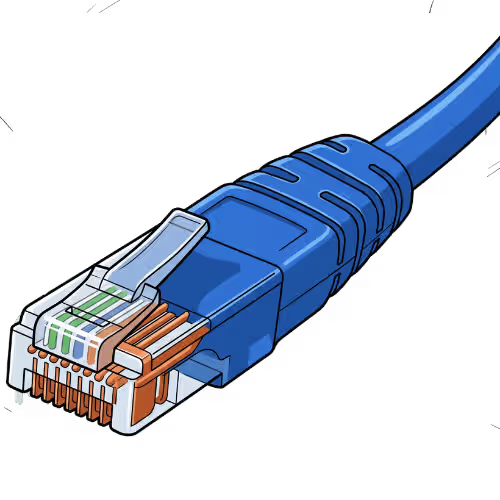
We Bring Your Tech Back to Life!
CellShoppe Phone & Laptop Fix | West Edmonton | Meadowlark
Store Hours
Monday 11:00 am – 8:00 pm
Tuesday 11:00 am – 8:00 pm
Wednesday 11:00 am – 8:00 pm
Thursday 11:00 am – 8:00 pm
Friday 11:00 am – 8:00 pm
Saturday 12:00 am – 7:00 pm
Sunday 12:00 am – 5:00 pm
Certified Pre-Owned Phones
Accessories
Device Fix
Phone Trade-In
Looking to establish a connection with Our Jasper Place Store? We are here to assist you in initiating your journey with one of our carrier partners at this location:



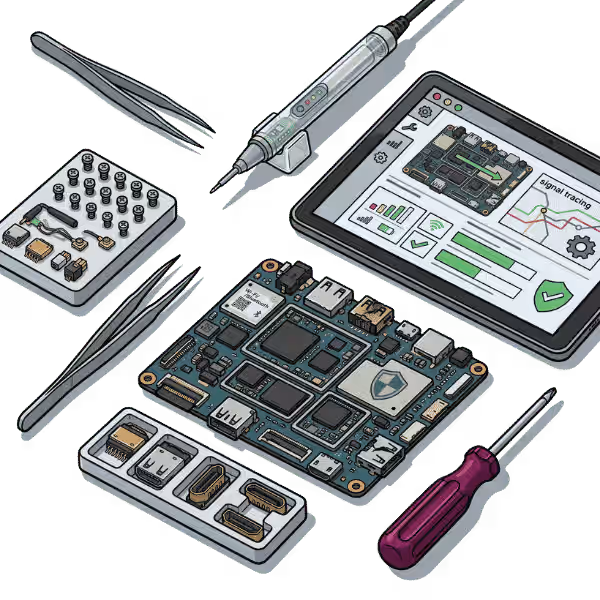
Urgent Support?
Select Apple Model
Common Network Issues
Slow Internet
Pages and downloads take too long to load.
Connection Drops
Wi-Fi or wired connection disconnects frequently.
Configuration Errors
Screen flickers, shows lines, or intermittent image.
No Internet
Device unable to connect to Wi-Fi or LAN.
How We Fix Your HDMI Port
Diagnosis
Check router, modem, cables, and device settings.
Connection Reset
Restart network devices and refresh IP configurations.
Replacement
Fix damaged cables, replace faulty routers or adapters.
Testing
Verify stable internet connection.
We are honored to provide services, buy, and sell various brands.















Quick Questions!
What does "Network Issue Fix" cover?
Network Issue Fix at Cellshoppe.ca primarily refers to diagnosing and fixing problems that prevent your phone from connecting to a cellular or Wi-Fi network. This can range from software and settings configuration to major hardware failures involving the antenna, Wi-Fi chip, or cellular modem (baseband) on the device’s logic board.
My phone says "No Service" or "Searching." What is the most common cause?
The most common cause is a temporary software glitch. We recommend the following simple user fixes first:
Toggle Airplane Mode on and off.
Restart your phone.
Check the SIM card (remove and re-insert it). If the problem persists, it may indicate a carrier issue or a more serious internal hardware fault requiring professional diagnosis.
If basic troubleshooting doesn't work, what hardware components are usually at fault?
If the issue is persistent and not carrier-related, the fault is usually with one of three hardware components:
The Cellular Antenna: Often damaged by drops or bending.
The Wi-Fi/Bluetooth Chip: Responsible for local wireless connections.
The Baseband (Cellular Modem) IC: The core chip responsible for communicating with the cellular network, a complex fix that requires micro-soldering.
Can liquid damage cause "No Service" issues?
Yes. Liquid damage is a very common cause of “No Service.” It can corrode the antenna connections, damage the delicate components near the SIM tray, or even short out the crucial Baseband IC on the logic board. This requires a professional liquid damage treatment and logic board fix.
How can I check if the problem is my phone or my carrier?
The best way to check is to try a different, working SIM card from the same carrier in your phone. If your phone works with the other SIM, your original SIM might be faulty. If your phone still shows “No Service,” the problem is almost certainly with your device’s hardware. You can also contact your carrier to check for local outages or account issues.
Does fixing a network issue require micro-soldering?
It depends on the diagnosis. Simple fixes like replacing a damaged antenna cable do not require micro-soldering. However, if the fault is traced to a key logic board component, such as the Baseband IC or the Wi-Fi chip, then advanced micro-soldering techniques are necessary to fix or replace the chip. Cellshoppe.ca is equipped for these complex fixes.
My Wi-Fi works, but cellular data/service does not. What does this indicate?
This strongly suggests the issue is isolated to the cellular/Baseband system. Since the Wi-Fi is working, the main power system and core logic board may be fine, but the components responsible for communicating with cell towers (the Baseband IC or related components) are likely compromised.
What is "Reset Network Settings" and will it fix my issue?
Resetting Network Settings clears all saved Wi-Fi passwords, Bluetooth connections, and APN/VPN configurations. It can often resolve software-related connectivity issues and misconfigured settings without deleting your personal data (photos, apps). It is a good step to try, but if a hardware component is broken, it will not fix the issue.
If my phone is an iPhone with a Baseband issue, can it be fixed?
Yes, in many cases. iPhone Baseband issues, which result in the phone being stuck in “Searching” or “No Service,” are a known logic board problem. Cellshoppe.ca offers specialized Baseband services using micro-soldering to re-ball or replace the faulty Baseband IC, restoring full cellular functionality.
How long does a complex network hardware fix take, and is there a guarantee?
Complex micro-soldering fixes for network issues (like Baseband fix) typically take longer than standard fixes. It can range from a few business days to a week, depending on the severity and specific model. Cellshoppe.ca provides a warranty on the micro-soldering work performed, and we will advise you on the expected turnaround time upon diagnostic confirmation.
Our Google Reviews
shagy zeeTrustindex verifies that the original source of the review is Google. Good deal on trade in of iPhone for s22 great customer serviceVickki (Vickki)Trustindex verifies that the original source of the review is Google. I had a great experience at this cell shop. The staff were friendly, patient, and very knowledgeable. They explained everything clearly and made the process quick and easy. I’ll definitely be coming back.Kmers BarriosTrustindex verifies that the original source of the review is Google. Excellent professional repairs at right cost.David HodgesTrustindex verifies that the original source of the review is Google. Excellent service and value for money and wonderful managementНазар НазаренкоTrustindex verifies that the original source of the review is Google. My phone screen broke, and I took it to CellShoppe for a screen replacement. They did amazing job! Fast Service and great price. I got my phone within an hour. They have huge screen in stock.Daniel DowlingTrustindex verifies that the original source of the review is Google. Ismat was very helpful, fixed my son’s PS5 quickly and professionally. Thank you so much for the great serviceRezaul KabirTrustindex verifies that the original source of the review is Google. Today I got a replacement of Samsung S9 Backpart and S24 Ultra camera lenses. I like their service a lot. I highly recommend their service for phone repair, screen repair and backpack replacement. Specially, the service is very quick and fast.ayah ayahTrustindex verifies that the original source of the review is Google. Amazing shop fixed my phone and never had issues on it, policies are amazing and would 100% come back if i had any issues.
In the modern world we live in now, a stable network link is needed for almost everything. A strong network is essential whether you work from home, watch your favorite shows, or stay in touch with family and friends. Network problems, on the other hand, can really mess up daily tasks and work.
If your internet is slow, disconnects often, or won’t connect at all, you may get annoyed and not be able to do even the easiest things. Network problems aren’t the only issue. Your computer, iPhone, or screen replacement can also disrupt work and leisure. For smooth communication and productive work, you need a stable network. That’s why fixing these problems right away is so essential to make sure your devices and internet work as they should.
Common Network Issues and Their Causes
Most of the time, these common network problems are caused by old or broken tools, bad network settings, interference, and sometimes issues with your ISP. Finding the cause is significant for quickly and effectively fixing the problem. If you’re having any of these problems, you need to take care of them right away before they get in the way of your daily life or make things worse.
Slow Internet Speeds:
Dropped Connections or Frequent Disconnections: Your internet might slow down due to busy networks or old hardware. Things can also move more slowly if your network has much traffic, too many devices linked, or a weak connection.
Wi-Fi Signal Not Reaching Certain Areas: Routers that aren’t stable, weak Wi-Fi signals, or interference from other devices can all cause links to drop or go in and out. An ISP (Internet Service Provider) problem or a setup mistake can sometimes be to blame.
Unable to Connect to the Network: You may struggle with weak Wi-Fi in some areas of your home or office. Walls, furniture, and other devices like microwaves and baby monitors can block the signal.
Network Lag and Latency Issues: This problem usually happens when network settings are wrong or gadgets are not set up correctly. It’s also possible that your router or modem is broken or that there are issues with your setup for IP or DNS.
DNS or IP Address Errors: Lag can make it very hard to play games or make video calls online. It’s usually because of a crowded network, much traffic, or a problem with the software. A weak connection or system issues can also cause lag.
Router or Modem Malfunctions: Your gadget might not be able to connect to the internet if there are DNS or IP address problems. These issues may happen because the router settings are out of date or not set up correctly.
How Our Network Issue Fix Service Works
- Diagnostic Evaluation
A full diagnostic check is the first thing that needs to be done to fix any network problem. To find the problem’s root cause, our experts carefully look at your network setup, which includes routers, modems, devices, and settings.
- Solution Proposal
We’ll come up with an answer that works for you once we know what the problem is. We make sure you know how much it will cost and when it will be done before we move forward, whether it’s a simple configuration fix or a more complicated hardware fix.
- Fixing Process
Our skilled techs start the fix, whether it’s to change the Wi-Fi settings, fix broken equipment, or fix security problems. We use cutting-edge tools and methods to make sure that the answer we provide is reliable and works well.
- Testing and Optimization
We test the network to make sure it’s working right after making the necessary fixes. To make sure everything is working right, this includes checking internet speeds, Wi-Fi connections, gadget connections, and security measures.
- Final Delivery and Follow-Up
We give you back your device or network fully improved once the fix is done and everything is back to normal. We offer follow-up help if needed to make sure the problem is fixed completely and you’re happy with our service.
Types of Network Issue Fix Services
We handle a wide variety of network-related problems. Here’s a breakdown of the types of network issue fixes we offer:
Type of Network Issue | Description |
Wi-Fi Connectivity Fix | Resolving issues with Wi-Fi connections, such as devices not connecting, weak signal strength, or frequent disconnects. We optimize settings and troubleshoot hardware problems. |
Slow Internet Speed Fix | Identifying and addressing causes of slow internet speeds, including network congestion, outdated hardware, and improper configurations. |
Router/Modem Fix | Fixing or replacing faulty routers and modems, resolving issues such as failure to connect to the internet, signal loss, or slow performance. |
DNS Configuration Fix | Addressing DNS-related issues, including problems accessing websites, DNS server failures, or incorrect DNS settings. |
IP Address Conflict Resolution | Resolving IP address conflicts and ensuring proper assignment of IP addresses within the network to restore seamless connectivity. |
Network Security Troubleshooting | Fixing network security issues, such as unauthorized access, unsecured networks, or issues related to firewall settings and encryption protocols. |
Device-to-Device Connectivity | Troubleshooting issues with devices failing to connect to each other on the same network, such as printers, smart devices, or file-sharing problems. |
VPN Configuration Fix | Addressing issues with Virtual Private Network (VPN) connections, ensuring secure access to remote networks, and fixing connection drops or configuration errors. |
Benefits of Timely Network Issue Fix
Fixing network problems quickly has many benefits, including letting you get back to your routine with little trouble. First, it gets you back to work and lets you enjoy a smooth internet experience. Another important benefit is that it lowers the risks to network security that can come from bad setups or old devices.
A router that’s not set up right can expose your system to threats. Similarly, a broken HDMI port or a faulty USB port can slow down your device. Fixing network issues can help your equipment last longer. This saves you money on fixes, like fixing your phone camera or buying new hardware.
Why Choose Us for Network Issue Fix
CellShoppe is different from other store that fix network problems in some ways. Our techs have much experience and have been able to quickly and effectively fix complicated network problems in the past. We promise that you’ll get a complete answer, whether you need a bug removed, a charging port fixed, or your network not working right.
We focus on quick turnarounds so you can get back to your regular schedule as soon as possible. You know precisely what you’re paying for because our prices are fair and our quotes are clear. There are no secret fees. When we fix things, we only use high-quality parts, so your items will work well for longer.
We put excellent customer service at the center of everything we do, and we want you to be happy with every service we offer. We can fix your HDMI or USB port, fix your laptop, or install Windows. Let us help you find options that will get your network and devices back to working at their best, giving you peace of mind and dependable service.
Why Choose Cellshoppe?
Experience the difference with our premium mobile device solutions and exceptional customer service
We value your time. Our new Doorstep Fix brings expert fixes directly to you, so you can get back to your day.
Get unbeatable deals on premium smartphones and accessories with our price-match guarantee.
Our certified technicians provide professional fixes, unlocking, and technical support for all devices.
Enjoy same-day pickup or quick shipping options to get your device when you need it most.