






Perfect Data Transfer Service in CellShoppe West Edmonton
Quickly and safely move your files, contacts, apps, and media between devices

We Bring Your Tech Back to Life!
CellShoppe Phone & Laptop Fix | West Edmonton | Meadowlark
Store Hours
Monday 11:00 am – 8:00 pm
Tuesday 11:00 am – 8:00 pm
Wednesday 11:00 am – 8:00 pm
Thursday 11:00 am – 8:00 pm
Friday 11:00 am – 8:00 pm
Saturday 12:00 am – 7:00 pm
Sunday 12:00 am – 5:00 pm
Certified Pre-Owned Phones
Accessories
Device Fix
Phone Trade-In
Looking to establish a connection? We are here to assist you in initiating your journey with one of our carrier partners at this location:



Urgent Support?
Select Apple Model
Common Data Transfer Issues
Slow Transfer Speed
Data moves very slowly between devices or drives.
Connection Failure
Devices not recognized or unable to connect.
File Corruption
Transferred files get damaged or unreadable.
Incomplete Transfer
OS failure prevents access to stored files.
How We Fix Data Transfer Issues
Diagnosis
Check devices, cables, and ports for faults.
Connection Setup
Ensure proper recognition and compatibility between devices.
Data Transfer
Use reliable tools or software to move files safely.
Verification
Confirm all files transferred completely and remain intact.
We are honored to provide phone fix services, buy, and sell various brands.















Quick Questions!
What types of data can be transferred to my new phone?
We can typically transfer essential personal data like your Contacts, Photos, Videos, Messages (SMS/MMS), Music, and Calendar events. App data, saved passwords, and certain app-specific settings are often managed by your account (like Google or iCloud) and may transfer automatically after you sign in to the new device.
Is it necessary to back up my old phone before bringing it in?
Yes, it is highly recommended. While we take every precaution, a backup acts as a safety net. Back up your photos, documents, and other crucial files to a cloud service (like Google Drive or iCloud) or an external hard drive before your appointment.
What should I do to prepare my old phone for the transfer?
Please ensure both your old and new phones are fully charged. Have the necessary passwords for your account (like Google, Apple ID, or Samsung) ready. If you are moving from an iPhone, ensure iMessage is disabled after the transfer to guarantee you receive text messages on your new device.
How long does the data transfer process take in-store?
The duration is highly dependent on the amount of data you have. A small transfer might take 30 minutes, but a large one (over 100GB of photos and videos) can take a few hours. We recommend setting aside ample time for the process.
Can I transfer data between different operating systems (e.g., iPhone to Android)?
Yes, our service supports cross-platform data transfers. We use specialized tools and recommended methods, such as Apple’s “Move to iOS” or manufacturer-specific apps, to seamlessly move your compatible data between iOS and Android devices.
Will my WhatsApp chat history transfer with the rest of my messages?
WhatsApp chat history often requires a specific, separate step. For the most successful transfer, we use WhatsApp’s in-app Chat Transfer feature (Android to Android) or work with cloud backups (Android to iPhone, or iPhone to iPhone) as part of our service.
Is my personal data safe and secure during the transfer process?
Absolutely. Your data is transferred directly from your old device to your new device using secure, encrypted, and often cabled connections. We do not access, view, or store your personal data, and we ensure the secure deletion of any temporary files created during the process.
What happens if the data transfer fails or gets interrupted?
If the transfer stops due to low battery or connection issues, we can often restart the process. If it fails completely, we will utilize your cloud backups or attempt a different connection method. Your original data remains on your old device until we confirm a successful transfer.
I have a damaged or broken phone. Can you still transfer my data?
In some cases, yes. If the device can still power on and the screen/port is functional enough for connection, we can often access the storage. For severely damaged phones, we will assess the possibility on a case-by-case basis. An additional fee may apply for complex data recovery.
Why are some of my apps missing or not working on my new phone?
While we transfer the data for most apps, the apps themselves must be re-downloaded from the respective app store (Google Play or Apple App Store). Furthermore, some older or platform-exclusive apps may not be compatible with your new device’s operating system.
Our Google Reviews
shagy zeeTrustindex verifies that the original source of the review is Google. Good deal on trade in of iPhone for s22 great customer serviceVickki (Vickki)Trustindex verifies that the original source of the review is Google. I had a great experience at this cell shop. The staff were friendly, patient, and very knowledgeable. They explained everything clearly and made the process quick and easy. I’ll definitely be coming back.Kmers BarriosTrustindex verifies that the original source of the review is Google. Excellent professional repairs at right cost.David HodgesTrustindex verifies that the original source of the review is Google. Excellent service and value for money and wonderful managementНазар НазаренкоTrustindex verifies that the original source of the review is Google. My phone screen broke, and I took it to CellShoppe for a screen replacement. They did amazing job! Fast Service and great price. I got my phone within an hour. They have huge screen in stock.Daniel DowlingTrustindex verifies that the original source of the review is Google. Ismat was very helpful, fixed my son’s PS5 quickly and professionally. Thank you so much for the great serviceRezaul KabirTrustindex verifies that the original source of the review is Google. Today I got a replacement of Samsung S9 Backpart and S24 Ultra camera lenses. I like their service a lot. I highly recommend their service for phone repair, screen repair and backpack replacement. Specially, the service is very quick and fast.ayah ayahTrustindex verifies that the original source of the review is Google. Amazing shop fixed my phone and never had issues on it, policies are amazing and would 100% come back if i had any issues.
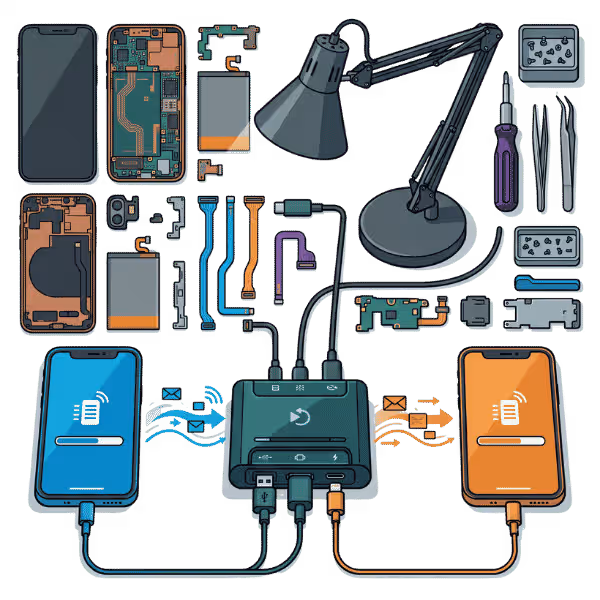
If you want to transfer data from your old device to your new one, you are in the right place. CellShoppe is a trusted Mobile Shop near Jasper Place in West Edmonton. We have an Expert solution for data transfer from one device to another. When you are buying a new iPhone, Samsung, Google Pixel, or any other device, your old data is the most important thing in your device.
We are here in West Edmonton to make it very easy. Our technician not only does iPhone fix, laptop fix, or screen replacement in West Edmonton, but we are also experts in data transfer without any data loss or damage. We can copy and paste everything that you have in your old device.
Types of Data Transfer Services We Offer
CellShoppe Jasper Place store provides data transfer services for your need whether switching devices, upgrading, or sharing data between systems. Here are the services we offer:
| Type of Data Transfer | Description |
| Phone-to-Phone Transfer | This service is for transferring contacts, photos, messages, apps, and other files from one phone to another, including transfers between different brands (e.g., Android to iPhone). |
| PC to PC Data Transfer | Moving documents, applications, and settings from one PC to another. This is ideal for upgrading your PC or transferring data between different versions of Windows or operating systems. |
| Phone to PC/Laptop Transfer | Transferring data like photos, videos, contacts, and files from a smartphone to a computer, typically for backup or storage purposes. |
| Cloud-Based Data Transfer | Using cloud storage services (like Google Drive, iCloud, or OneDrive) to move data between devices, ensuring that your files are safely stored online before transferring. |
| Backup and Restore | Creating a full backup of your device (phone or computer) and then restoring that backup to a new device or after a system reset. |
| Data Migration for Business | For businesses needing to transfer large amounts of data between systems or devices, including setting up workstations with essential documents, emails, and software. |
| Cross-Platform Data Transfer | Transferring data between different platforms, such as from an Android phone to a Mac or from a Windows laptop to a Chromebook, ensuring compatibility and proper setup. |
How Our Data Transfer Service Works
Consultation and Evaluation
We start by learning your data transfer needs. If you are moving to a new device or making a backup, our technicians will check your devices. They decide the safest way to transfer your data.
Data Backup (Optional but Recommended)
Before any data transfer begins, we recommend creating a backup of your files to prevent any risk of data loss during the process. At CellShoppe Jasper Place shop, we can assist you in backing up your data to a cloud service or an external storage device.
Data Transfer Process
After backup, our experts securely transfer your data from the source to the destination device, ensuring all files remain intact.
Verification and Testing
We confirm that all data has been moved and is accessible on your new device, and check the basic functions to ensure proper operation.
Final Setup and Customization
We help set up your new device moving app data, setting preferences, and personalizing your system or phone. Your PC, phone, or tablet will be ready for use.
Who Are We?
CellShoppe is the most trusted phone fix store in West Edmonton. We have 10 years plus of expert technicians who fix any device issue with quality parts quickly and at a cheap price. Whether you need an iPhone battery replacement, charging port fix, or most importantly, data transfer from iPhone, we are always able to make this on time.
Why Data Transfer is Important
Data Preservation
Upgrading or changing systems? Transferring data keeps your important files documents, photos, contacts safe. Without a proper transfer, you risk losing them.
Smooth Transition Between Devices
Transferring data ensures a smooth transition to your new phone, tablet, or computer so your files, apps, and settings are ready.
Backup Protection
If your old device fails, performing a data transfer and backup ensures your files are safe and accessible on your new device. We recommend regular backups to prevent data loss from hardware failure or accidental deletion.
Avoid Compatibility Issues
Data transfer service in West Edmonton let you avoid compatibility issues when switching platforms, such as from Android to iOS or Windows to Mac. Let our techs handle your transfer and ensure your data moves smoothly, so all your files work well on any device contact us today to get started!
How do we make this data transfer easy?
With our expert and experienced technician, we can transfer iPhone data to another iPhone. If you want to transfer data from a new iPhone to a Samsung, we can make it happen. We can also transfer data from mobile devices to laptops or from any storage. Learn more about iPhone data transfer and how it happens.
Best option for Data transfer in Edmonton
CellShoppe Jasper Place is the best option for data transfer as a trusted phone service store in West Edmonton. Whether you need to back up your data by an effective method iPhone data transfer, Samsung phone data transfer, or computer and laptop data transfer you can trust us with your device.
Why Choose Cellshoppe?
Experience the difference with our premium mobile device solutions and exceptional customer service
We value your time. Our new Doorstep Fix brings expert fixes directly to you, so you can get back to your day.
Get unbeatable deals on premium smartphones and accessories with our price-match guarantee.
Our certified technicians provide professional fixes, unlocking, and technical support for all devices.
Enjoy same-day pickup or quick shipping options to get your device when you need it most.